Freelance rate calculator HTML template that saves itself
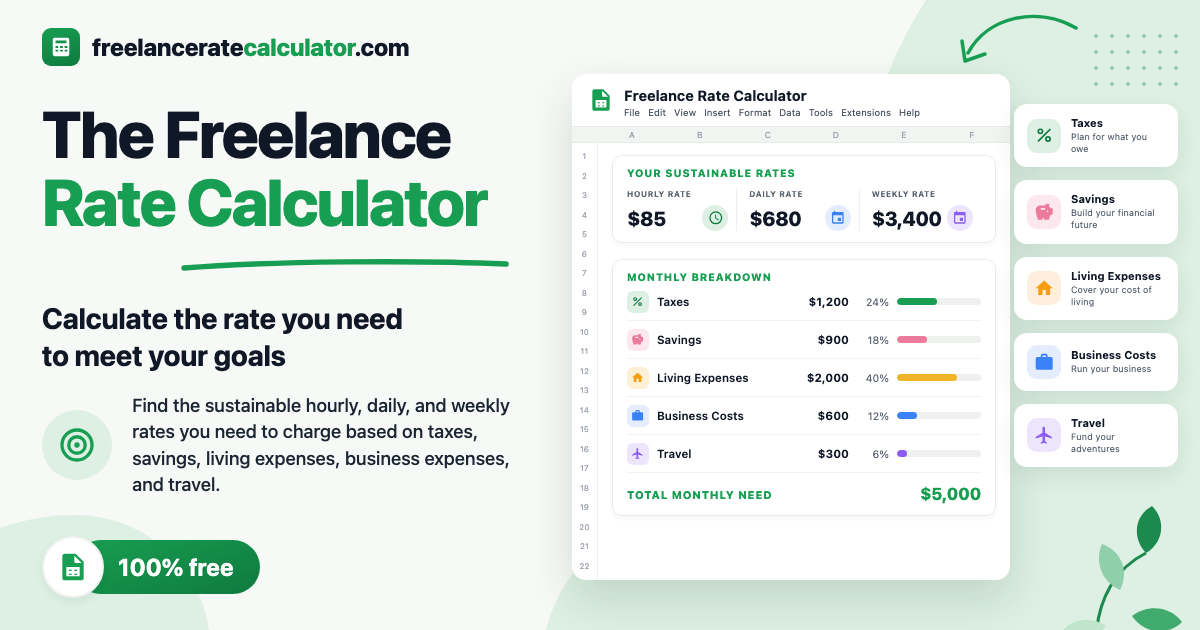
Change your monthly rent or your billable hours per day, and your hourly, daily and weekly rates update right away. Reload the page and your numbers are still there.
This is a one page rate calculator for freelancers, adapted from a spreadsheet by Zach Collins with the fee and tax math fixed so both are figured on what you actually bill. It runs on Hyperclay, a host I built for web pages that save their own changes.
The live calculator at freelanceratecalculator.com is free to use and needs no signup. As you type, it keeps your numbers in your own browser and never sends them to a server.
To change the starter numbers, edit the categories or publish a version at your own hyperclay.com address or custom domain, make your own copy. Making a copy needs a Hyperclay account: see the pricing page for plans.
What you can do in it
The calculator starts with 24 prefilled expense rows across five groups: Living, Travel, and Business I, II and III, plus a Custom group for your own recurring costs.
- Enter any expense as a daily, monthly or annual amount, or fill more than one column on the same row. The page multiplies daily figures by 365 and monthly figures by 12 to get your annual total.
- Click + Add a custom expense to add your own row, click its label to name it, and click × to remove it.
- Split your sales by percentage across credit cards, third party services such as Upwork, and other payments, with a separate transaction fee rate for each column.
- Set a sales tax or VAT rate and an income and self-employment tax reserve percentage. The calculator solves for the break-even sales you must bill so that after fees and taxes come out of total revenue, the remainder covers your expenses.
- Enter your vacation days, holidays, sick days, working days per week and billable hours per day to get your minimum hourly, daily and weekly rates.
- Add an annual savings goal beyond retirement to see your adjusted annual sales and the new hourly, daily and weekly rates that cover your savings plus the extra fees and taxes on them.
- Click Hide intro at the top to collapse the header while you work, or click Reset to example numbers in the footer to return every field to the defaults.
It saves in your browser, and into your own copy
When you use the live calculator, or when a visitor uses your copy, the page runs in visitor draft mode. A moment after you change a number or add a custom expense, the page flashes saved and stores your draft in your browser's localStorage. Nothing you type is sent to the host. When you click Download in the prompt at the bottom right, the browser builds a file with your numbers in it.
When you make your own copy on Hyperclay and edit the original as its owner, your changes save into the page's own HTML file on Hyperclay. Set your own starter expenses, tax reserve or working hours once, and anyone who opens your link starts from your numbers while still getting a private draft in their own browser.
Change the HTML
The calculator is one HTML file, and your copy is yours to change.
Say you bill in euros instead of dollars, want to remove the Business III group, or want to rename one of the 24 starter expense rows. On the Personal or Maker plan, open your copy in Hyperclay's browser code editor, or sync your folder with Hyperclay Local and ask Claude Code or ChatGPT to make the edit. On any plan, including Free, you can download the .html file or run it locally with Hyperclay Local and HTML Clay.
Where it stops
- The tax reserve is a flat percentage of billed sales that you choose (25% in the example), not a tax return calculator. Because the expense rows mix personal living costs and business costs, the page does not calculate taxable profit, deductions or tax brackets.
- You can add, rename and delete rows in the Custom group, but the 24 starter rows in Living, Travel and Business I through III have fixed labels and no delete button on the page. To rename or remove them, edit the HTML.
- Currency symbols and number formatting are in US dollars ($). Switching to another currency takes an HTML edit.
- If your credit card and service sales shares add up to more than 100%, or if your blended fee rate and tax rates add up to 100% or more, no finite break even exists and the page shows an error message instead of a rate.
- A downloaded .html copy keeps its layout and styles, which are inline in the file, but its live calculations and browser drafts load clay.js and sap.js from clayjs.com, so it needs an internet connection to recalculate unless you bundle those scripts.
- It calculates one set of rates for the year. It does not track hours, send invoices or pitch clients. Once you know your rate, use the Landing page template to put up a one page site for your services, or the Devlog template to post dated updates on your work.
Price
Using the live calculator at freelanceratecalculator.com is free and needs no signup.
Making your own copy to edit the source and publish at your own address needs a Hyperclay account. The pricing page compares the plans. If you're signed in, Make your own copy asks for a name and puts the copy in your workspace. If you're new, you choose a plan first, then it asks for a name.
If you publish a calculator with it, send me the link at david@hyperclay.com. I'd like to see what you made.